This is the MAC OS X version.
Click here for the Windows version!

Version 1.1 for MAC OS X 10.3 or higher - 22/02/2009
UNIVERSAL BINARY VERSION
By
Robert Bennett
Please note: NEVER link directly to the files listed below, always link to this page. These files will move due to bandwidth restrictions, but this page will always have the latest links.
Click here to download!
REGISTER NOW FOR JUST US$7.50!
It takes endless hours of work to produce nifty 3D screen savers at the high quality you have come to expect from Useless Creations, and all we ask in return is a very small fee! Compare it to other places, and we're sure you'll agree that you get far more bang for your buck right here! Without your support we wouldn't be able to keep bringing you screensaver after nifty screensaver, which includes our cool free offerings as well as our even cooler shareware stuff. So as long as you keep supporting our work, we'll keep working tirelessly to help you avoid doing any work by watching your screen for hours on end!
When you register 3D Desktop Butterflies Screen Saver, you get:
The full, registered, unrestricted version of one of the niftiest screensavers on the planet!
More butterflies! The full version lets you download a bunch of new butterflies to flutter around your screen!
No more 10 butterfly limit! The full version lets you have up to 100 butterflies flying around your screen at once, as long as your Mac can handle it!
No nag screens! Nothing pops up at the start, nothing pops up in the corners, nothing pops up at all. All you get is the action!
But more importantly, you'll help support Useless Creations, which means I'll be able to keep developing nifty screen savers for Mac OS X!
All this for just US$7.50! How can you resist?!
Click here
for all the details.
How To Download New Butterflies (Registered Version Only)
To get to the download screen, click on the "Download New Butterflies"
tab on the screen saver Options screen. With the trial version, all you can
do on this screen is check which butterflies are available. With the registered version
you can actually download them, all you need to do is follow the steps on
screen. Closing the settings sheet while any downloads are in progress will
cancel the current download, and of course, you need to be connected to the
internet to be able to download new fish.
After downloading a butterfly, the screen saver needs to be restarted for the
new butterfly to be available.
The button at the bottom lets you set where the downloaded data files are
kept on your machine. The screen saver will create a default directory for
you when it runs, however you are welcome to change it. Remember though, if
you change the directory the screen saver will not be able to find any data
in the previous directory, and you will need to give any users who are going
to use the screen saver permission to at least read from the folder so they
can use the data files, and they will need write permission if you want to
allow them to download fish aswell.
Because I've been asked a lot, here's a quick note: If you get an error saying
"Download Failed - Error! Cannot Create File http://" it means that
it can't save the data file, usually because you do NOT have full read/write
access to the folder (as it says you need above). So you need to make sure
you have access to that folder it's using, OR you can create a new folder
somewhere you know you have full access to, such as under your home directory.
Then click that button at the bottom of the settings and tell the screen saver
where you new folder is. Then you should be fine.
The following butterflies are currently available for this screensaver (See above for instructions). New butterflies will be added as often as possible, so check back regularly!
Please note: These add-ons only work with the full registered version. Info on registering is just above on this page.

Asagimadara Butterfly
(HD - Included with screensaver) |

Great Orange Tip - Male/Female Differ
(HD - Included with screensaver) |

Omurasaki Butterfly (HD) |
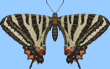
HimeGifu Butterfly (HD) |

African Monarch (LD) |

Peacock Butterfly (LD) |

Apollo Butterfly (LD) |

Gulf Fritillary (LD) |

Painted Lady (LD) |

Blue Pansy (LD) |

Eastern Festoon (LD) |

Burgundy Fritillary (LD) |

Green Spotted Triangle (LD) |

Indian Leaf Butterfly (LD) |

Lime Swallow Tail (LD) |
| More Soon! |
More Soon! |
More Soon! |
Release Notes
Wow. I can't believe 3 years have passed since I released this. It's always been one of my faves, but I've never updated it, so I figured it was about time!
Most of the feedback I've had has been about the flying. On some systems the butterflies all lingered at the bottom of the screen and didn't fly properly. It all depends on CPU speed.
So what I've done is rewrite the flying code to make them fly a little smoother, and make it a lot less dependant on your CPU speed, so you should now get a nice spread of butterflies no matter what machine you're using.
I've also put in a load of updates to do with the background options and screen capture code, and fixed some random crashes I was having under Leopard. So it's all fresh and new!
Enjoy!
Release Notes (v1.0)
Well, I've been thinking of doing this for a long long time. I even have
an old screen saver from way back in 2000 where I just have one butterfly
flying in circles. But it always looked a bit lame so I never bothered to
finish it.
Here we are nearly 6 years later and I've finally put together a butterfly
screen saver that I really like! As with the Something Fishy screen saver,
I've used the best 3D models I could get my hands on. But I've mixed them
up a little. You see I think this looks best with heaps of butterflies, but
with the high detail models you need a really fast PC to make it to work.
So I have gotten hold of a mix of both high detail and medium detail butterflies.
So hopefully we can all enjoy a great mix of colour without killing our PCs.
That's the idea anyway, we'll see what happens. I've used just the high detail
models in the free trial version, and I have about 25 lower detail models
to release as add-ons when I get the time, along with a few more high detail
ones, so we're looking at a screen saver here that will be jam packed with
a heap of different butterflies for you to enjoy.
I spent ages trying to make them actually fly like butterflies. Sort of random
and fluttery. When I looked at a couple of other butterfly screen savers they
all flew in a very basic "flap... flap... flap" fashion which made
them look like a wind up aeroplane kinda deal. Still not sure I've got it
quite right, but I do think it's cool to watch. And the way they land on both
the desktop and the "glass" of your monitor I think looks nice too.
I dunno, I just like it!
I may change this screen saver later, because I'm not sure if it needs something
else added to it or what, but I do like watching it as it is now so I figured
I would release it and see what you guys think.
If you spot any bugs (aside from the ones flying around the screen) please
let me know!
Enjoy!
Version History
v1.1 - 22nd February, 2009 - Major Update
Flying code has been re-written to make them smoother and spread across the screen properly.
Updated screen capture code.
Updated background image code.
Fixed some crashes under Leopard.
v1.0 - 14th February, 2006 - Original Release
Real time 3D butterflies flutter around your desktop.
Use a screen grab, your wallpaper, or any random image as the background.
Butterflies cast shadows on your desktop, and they land on it too!
Additional butterflies available for download to add to the full version.

Brought to you thru the endless magic of OpenGL!







;)
;)
;)
